Showing posts with label howto. Show all posts

Aug 2, 2014

Customize your blogger Labels and Tags

Just Copy CSS code and Add a Gadget and then select "HTML/JavaScript" Paste and Save ! Done :)


.label-size{ 
margin:0; 
padding:0; 
position:relative; 
} 
.label-size a{ 
float:left; 
height:24px; 
line-height:24px; 
position:relative; 
font-size:12px; 
margin-bottom: 9px; 
margin-left:20px; 
padding:0 10px 0 12px; 
background:#0089e0; 
color:#fff; 
text-decoration:none; 
-moz-border-radius-bottomright:4px; 
-webkit-border-bottom-right-radius:4px; 
border-bottom-right-radius:4px; 
-moz-border-radius-topright:4px; 
-webkit-border-top-right-radius:4px; 
border-top-right-radius:4px; 
} 
.label-size a:before{ 
content:""; 
float:left; 
position:absolute; 
top:0; 
left:-12px; 
width:0; 
height:0; 
border-color:transparent #0089e0 transparent transparent; 
border-style:solid; 
border-width:12px 12px 12px 0;  
} 
.label-size a:after{ 
content:""; 
position:absolute; 
top:10px; 
left:0; 
float:left; 
width:4px; 
height:4px; 
-moz-border-radius:2px; 
-webkit-border-radius:2px; 
border-radius:2px; 
background:#fff; 
-moz-box-shadow:-1px -1px 2px #004977; 
-webkit-box-shadow:-1px -1px 2px #004977; 
box-shadow:-1px -1px 2px #004977; 
}  
.label-size a:hover{background:#555;} 
.label-size a:hover:before{border-color:transparent #555 
transparent transparent;


Read more...

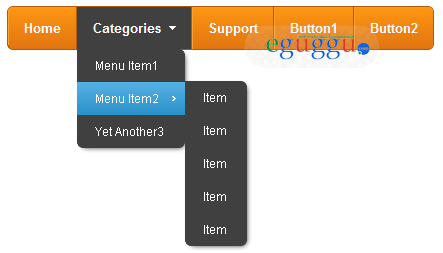
Pure CSS Menu with new Horizontal Style

Pure CSS Menu with new Horizontal Style

Being ordinary is no longer good enough when it comes to the design of websites; they must be able to impress the target audience; and your website is not the only one vying for their attention. This means they’ll only go through a website that satisfies their needs and requirements best.
This is where the importance of CSS enters the picture. A website having clean, organized CSS will not only load more quickly but also offer a highly satisfying user experience. This also improves its chances of figuring prominently in search results. But, this isn’t easy.
DOWNLOAD HERE
Read more...

Feb 7, 2014

How to Change Google Chorme Text & Links Appearance

Change Google Chorme Text Appearance:

Here is trick to change the default Appearance for text styles of Google chorme browser.
Like: All Links, Visited links and mouse hover syles etc.

Go to Your Compter's Below Path:
And then open file: Custom.css and paste below {css} code in it and then save

a {color: #0033FF! important;font-family: "Trebuchet MS";}
a:visited {color: #666666! important}
a:active {color: #339933! important}
a:hover {color: #009933! important; text-decoration: none;}
.rc .s {color: #666666! important;font-family: "Trebuchet MS";}


Note:
This is only a example, you can modify css code as per need or your choice. (dSTAR: www.eguggu.com)


Result as Below:

Please Wait
Image is loading....


Read more...

Feb 5, 2014

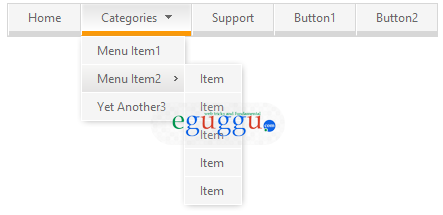
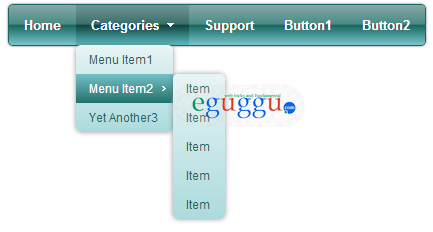
New Css Navigation Menu for Blogger, WordPress and Website

New Css Menu (4 nos of Styles) for your website, Blogger and wordpress blog. Download and enjoy. Easy to install


Menu - Style - 1

Download Menu files =>> Download


Menu - Style - 2

Download Menu files =>> Download


Menu - Style - 3

Download Menu files =>> Download


Menu - Style - 4

Download Menu files =>> Download

Read more...

Dec 31, 2013

Docomo & Airtel Free Recharge - Ultimate Windows Software

NOW AVAILABLE

Xcuse_india 2.16

Note:  
This file is 100% virus free (file scanned with Norton 360)
File name:
xcuse_india.zip  Download
File size:
974.83 KB
File Type:
ZIP archive (.zip

File Downloads Limit 5000 times only


 Download Here

 
Read more...

Dec 16, 2013

Import Data From Excel to AutoCAD by Using LISP


A. Create Data format in excel

1. Ist Colum Serial No.

2. 2nd Colum Chainage or X Cordinates

3. 3rd Colum offset or Y Cordinates

4. 4th Colum Reduce Level (R.L.)

5. Point Id

6. Point Name


 B. Data Setting

1. Select A, B, C, D, E, F, Colum

2. Right Click then mouse menu open

3. Press right click on Colum Width


4. Enter the value of 12


5. Align the values of left Side click on this button show below in image


6. Press Ctrl+S for save the file


7. File Name in simple value

8. Save as type Formatted Text (Space delimited) (*.Prn)

9. File save in short path


C. Import  in Autocad

1. Open Autocad

2. Open new file press key Ctrl+N 

3. After Open Window Press Enter

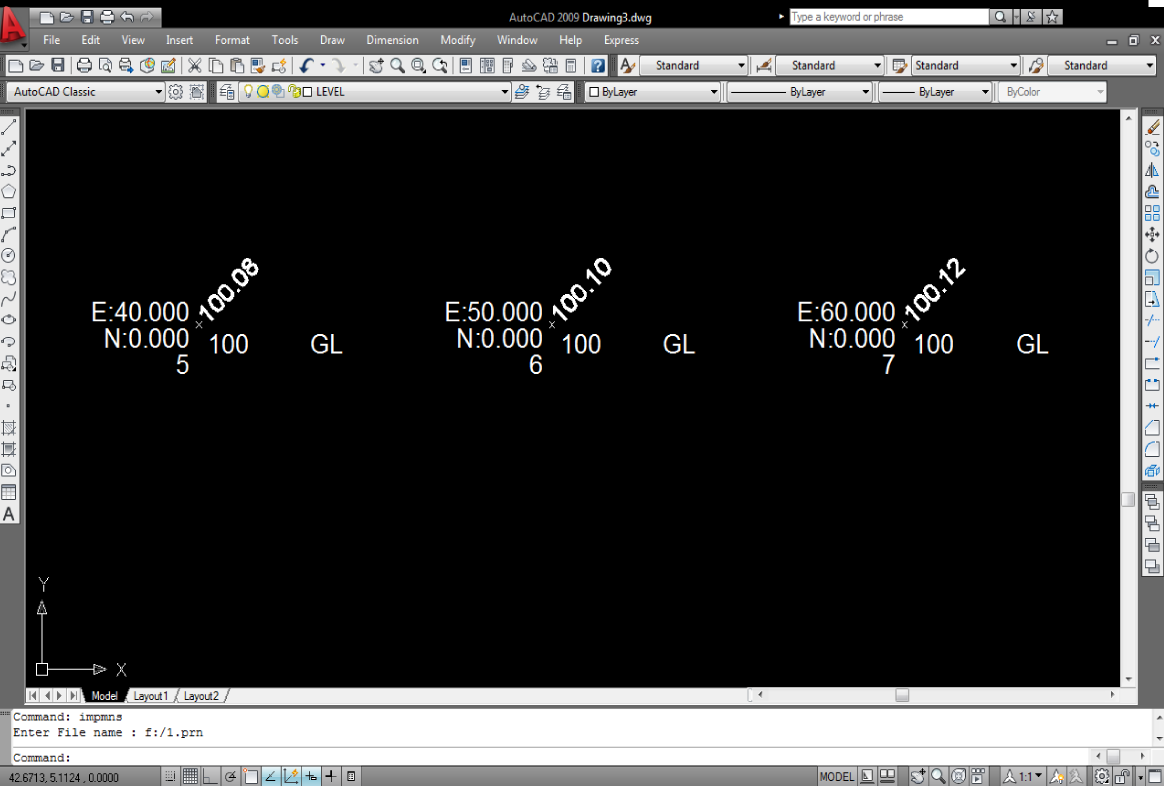
4. Press key AP Enter for Load the Lisp (as below Image)


 5. Select the lisp IMpms.lsp & IMPmnsT.lsp Click the button On Load


6. After Click on Load Button got Massage in Left Bottom Window  Successfully loaded 2 files

7. Click the close Button

8. Type IMPMNS in AutoCAD Command Window Press Enter

9. Enter File Name F:/1.prn Press Enter


If lisp not working or got error message
Mail me for support:‐ 
sandeepk@tataprojects.com ,  srkumar.r6@gmail.com
  This Post Prepared By : Sandeep R. Kuma TATA PROJECTS LIMITED DELHI  


For more LISPs, Hatch Pattern, Line Types and Line Styles of AutoCAD Goto our Download Centre: 
 Download
Read more...

Dec 7, 2013

WOW Slider 2.7.1 - Remove Watermark and Watermark Link

Here is a trick, which helps you to use free version software like Pro. Version software. Now you would like to know the software's name. The software name is WOW Slider 2.7.1. This software is usually used for displaying the Picture's slider on websites by the Web-designers and the Web-masters. In this post you can learn that how to use this software without companies watermark. It is not a difficult job to do and it does not require any kind of web-developer’s skill. By watching my video and you can easily do it.

Live Demo:
demo-1   demo-2   demo-3   demo-4

Read more...

Dec 3, 2013

iPHONE SECRET CODES FOR CALL FORWARDING.

iPhone SECRET CODES FOR CALL FORWARDING 

iPhone call forwarding options like below:

  • Forward all
  • If Busy
  • If not answer
  • If Unreachable
iPhone call forwarding all types like:

  • All calls
  • Voice calls
  • Data calls
  • Fax calls
  • Line 2 calls

(CLICK ON PICTURE TO SEE FULL RESOLUTION IMAGE)


Read more...

Photoshop masters can use Pen tool for selection instead of selection tool

Hi friends if your do not like selection tools and hate all of them, because of your selections getting deselected by debugging of computer or by any other means, so in that case you need to watch this video to learn that how to make your selection safer and larger without any worry. 

Read more...